
A good digital publishing workflow is a design decision as much as an editorial one. The steps that take a piece of content from idea to live publication only run smoothly when the look, structure and voice of the publication were settled before anyone starts writing. Teams that set that foundation first spend their time on content rather than on fixing layouts, chasing approvals or re-doing work for each channel. At 1975, the Norwich graphic design studio we have run since 2007, we design brands and digital magazines with this workflow in mind, so each issue is quicker to produce and looks like it belongs to the same publication.
TL;DR
- A publishing workflow has two halves: the people (authors, reviewers, approvers, publishers) and the system each of them uses to move content to live.
- Seven stages cover most digital publications: brief, structure and design system, creation, review, production checks, distribution and measurement.
- Name one owner per stage, and keep review light: GOV.UK asks for two sets of eyes on new content, not on every typo fix.
- Build accessibility and testing into the schedule from the start; fixing them after layout costs far more.
- A design system and clear art direction are what make the second, third and thirtieth issue as strong as the first.
Table of Contents
- What a digital publishing workflow actually is
- The seven stages of a digital publishing process
- Where workflows break, and what fixes them
- Roles in a small team
- A note on AI tools
- Our perspective on the workflow
- Getting the design foundation right with 1975
- FAQ
- Sources
What a digital publishing workflow actually is
A publishing workflow is the route content takes from creation to live. Shelter’s digital framework splits it into a human element (authors, reviewers, approvers, editorial quality checkers and publishers) and a system element, the technology each of those roles uses. Its stated purpose is practical: people understand what is required of them and when, each step is easy, risk is removed and momentum is sustained.
For a publisher, brand team or membership organisation, that translates into outcomes you can feel: fewer late-night corrections, issues that go out on the day planned, and a publication readers recognise at a glance.
The same logic applies whether you publish a digital magazine, an annual report, a members’ journal or a stream of web articles. The format changes. The stages do not.
The seven stages of a digital publishing process
Here is the sequence we would put in front of a team starting from scratch. Each stage has a purpose, a likely failure point and a clear owner.
1. Brief and plan
Decide what the publication is for, who reads it, how often it appears and where it will live. Settle the formats early: a screen-first magazine, a web hub, a downloadable PDF, or all three. Decide on media types (video, audio, interactive graphics) and the accessibility standard you will meet before design begins, not after.
Where it goes wrong: the brief says “a magazine” and leaves format, cadence and channels open. Every later disagreement then becomes a design argument.
2. Structure and design system
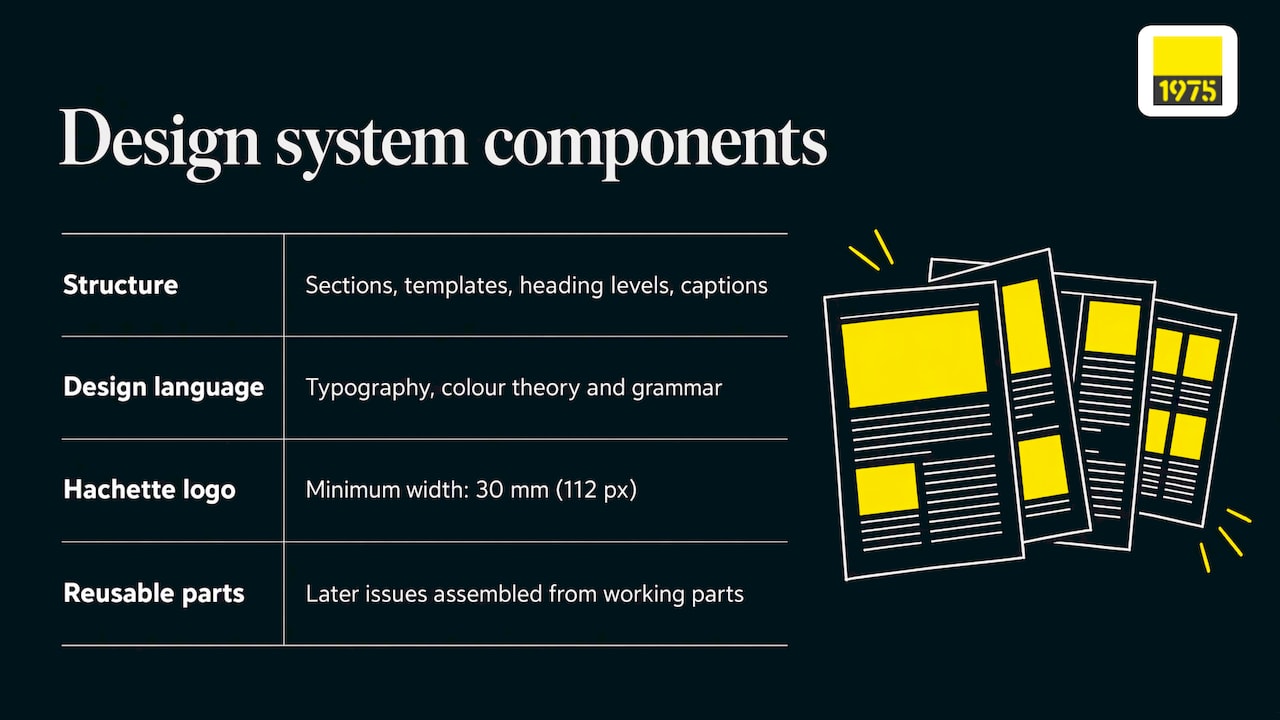
This is the stage most workflow guides skip, and the one that makes the biggest difference. Before commissioning content, define the structure (sections, templates, heading levels, caption styles) and the visual language that sits on top of it.
The Accessible Books Consortium’s guidelines recommend concentrating first on structure and content, with appearance determined from that structure at a late stage. Separating the two gives far greater flexibility in delivery, and lets accessibility features be built in from the beginning.
Large publishers work this way. The Guardian’s deputy creative director described unifying typographic patterns, colour theory and grammar into a coherent design language, a kit of parts the company can translate across its own and third-party platforms. Hachette UK’s brand book goes as far as a minimum logo width of 30mm (112px) and a custom type system, so materials stay consistent however many people produce them.
You do not need a corporation’s budget to do the same. You need a small, well-made set of templates, type choices, colours and image rules. That is the work of editorial design, and it is where a studio earns its fee back: every issue after the first is assembled from parts that already work.
3. Creation
Writers, photographers and illustrators produce content into the structure from stage 2. Keep a single source of truth: one place where the current version lives, with a visible status.
Imagery deserves its own standard. Image size, crop, colour treatment and usage rights should be written down so that a photograph commissioned for a cover also works on a web page and a social card. If you commission photography, it helps to understand creative industry photo standards before the shoot, so the files arrive ready for every format you publish in.
Where it goes wrong: images arrive at the wrong ratio or without rights information, and the designer loses a day.
4. Review and approval
Review is where most workflows slow down. Name who reviews, who approves and who has the final say, and keep the number of people small.
GOV.UK’s practice, as Shelter’s guidance describes it, is the “two pairs of eyes” (2i) rule: at least two people must review new content, while a fix to three typos does not need a review. That proportionate approach is worth copying. Full review for new work, a fast lane for small corrections.
The same guidance says a workflow system should assign clear roles and permissions, notify people when it is their turn, make reviews and revisions straightforward and show progress clearly. If your team cannot see at a glance which pieces are waiting on whom, the process is costing you days.
A simple status set is enough: planned, drafting, in review, approved, published. One named owner moves each item to the next status.
5. Production and quality checks
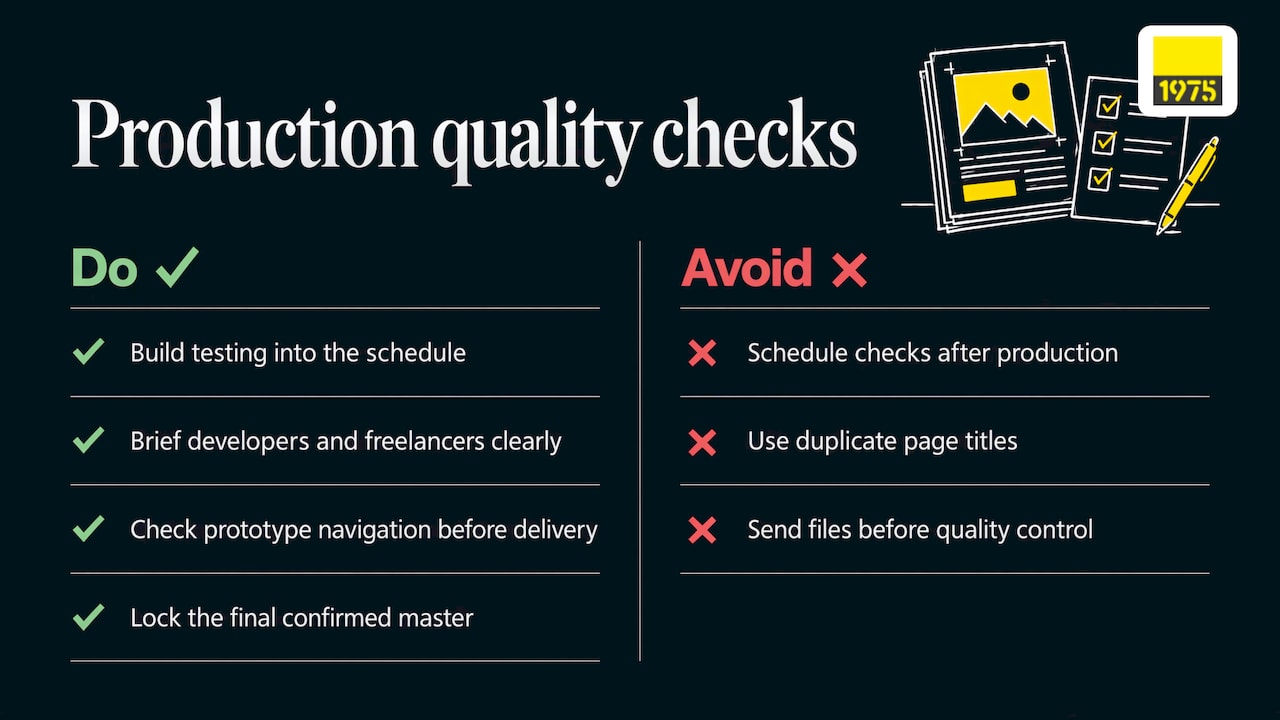
Production turns approved content into the finished publication: layout, interactive elements, export and testing. This is where checks belong in the schedule, not after it.
The UK standard SKS PUB15 says the person commissioning and checking a digital publication should build functionality, accessibility and usability testing into the schedule at appropriate points, brief developers and freelancers clearly, handle ownership and rights, and keep to an agreed budget and timetable. It also calls for quality assurance and user testing of the structural prototype, with bugs prioritised and fixed and navigation checked before delivery.
For accessibility, GOV.UK’s digital accessibility guidance is a practical checklist: structured headings, accessible links, no duplicate page titles, described images, graphs and charts, accessible tables and attachments, and accessible forms and videos. The Accessible Books Consortium adds a navigable table of contents, a defined reading order and alt text on illustrations.
Version control matters just as much. The BIC’s audiobook best practice is written for audio, but its principle applies to any digital asset: quality control before files reach distributors, and only final, confirmed master files entering the supply chain. Name files clearly, lock the master and make sure corrections flow into it.
6. Distribution
Decide where each issue goes and in what order. Common routes are your own website, an email campaign with a direct link, social channels with short extracts, and an archive page for back issues. Plan the launch sequence so the issue page, the email and the social posts go live together rather than one at a time.
Archive in as many formats as you can. The Accessible Books Consortium recommends this so titles can be repurposed later, and it saves a rebuild when a new channel appears.
7. Measure and improve
After each issue, review what readers did: which sections held attention, where they left, which links they used. Then feed the answer into the brief for the next issue. The loop is the point. A workflow that never changes after launch is a routine, not a process.
Keep the review short and specific: one or two changes per issue, written into the template or brief so they stick.
Where workflows break, and what fixes them
| Symptom | Usual cause | Fix |
|---|---|---|
| Issues run late | No named owner per stage | One owner per status, visible to all |
| Every issue looks slightly different | No design system | Templates, type and colour rules set before content |
| Review goes round in circles | Too many approvers, no 2i-style rule | Two reviewers for new content, fast lane for small fixes |
| Accessibility problems found at the end | Testing left until after layout | Checks scheduled at each stage |
| Content rebuilt for each channel | Appearance mixed into content | Structure first, appearance applied from it |
Most of these trace back to decisions made in stages 1 and 2. That is why we think of the workflow as a design brief with a timetable attached.
Roles in a small team
You do not need a large department. A magazine team of four can cover it:
- Editor: owns the brief, the schedule and final approval.
- Author or contributor: writes or produces content to the structure.
- Reviewer: checks facts, tone and accessibility against the agreed standard.
- Designer or art director: owns the design system and the finished layout.
- Publisher: releases the issue and handles distribution.
One person can hold two roles, but not two roles in the same chain of approval. The writer should not be the only reviewer of their own piece.
A note on AI tools
Many teams now use AI to help with outlines, headline variants and draft alt text. The sensible rule is that people stay in charge of the result, and the workflow records labelling, copyright and provenance. Treat AI output as a draft entering stage 3, subject to the same review as anything else.
Our perspective on the workflow
Most workflow advice starts with tools and approval chains. We start with the publication’s identity. When the brand, the art direction and the page templates are right, the workflow becomes much simpler: contributors know what a good piece looks like, designers are not reinventing the layout each month, and reviewers have something concrete to check against.
That is why we bring art direction and branding together with the design of digital magazines. A publication is a story told repeatedly, and consistency is what lets readers recognise it and come back. Our work for clients such as the Royal Town Planning Institute and Inside Networks shows what that looks like in practice, across very different sectors.
If you are setting up a new publication or rescuing a tired one, begin with the design system, then build the process around it. You get a faster route to publication and a result that looks deliberate in every issue.
the author
Getting the design foundation right with 1975
If your workflow is stuck at stage 2, a design partner can unblock the rest. We design brand identities, art direction, design consultancy and digital magazines, and produce brochures and corporate literature for businesses, publishers and organisations. The result you are after is a publication that is quick to produce and consistent in every issue, and a design system your team can keep using after launch.

See our digital magazine work, read about digital publication design, or talk to the studio about the publication you have in mind. If content planning is the bigger gap, our guide to digital content strategy covers it.
FAQ
What is the difference between a digital publishing workflow and an editorial workflow?
An editorial workflow covers the content side: ideas, writing, review and approval. A digital publishing workflow includes that and goes further into design, production, testing, distribution and measurement. The two work best when they share one schedule and one set of named owners.
How many people should approve a piece before it goes live?
Two reviewers is a good standard for new content, following the “two pairs of eyes” rule GOV.UK uses. Small corrections, such as fixing a few typos, can skip full review. More than two approvers usually slows the process without improving quality.
When should accessibility be considered in the process?
At the brief and structure stages, and again at each check before release. Building heading structure, reading order, link text and image descriptions in from the start is much cheaper than retrofitting them once the layout is finished. GOV.UK’s accessibility guidance is a good checklist for this.
What makes each issue of a digital magazine look consistent?
A design system: set typography, colour, grid and image rules, applied through templates. The Guardian describes its own version as a kit of parts that can be reused across platforms. Art direction keeps that system alive as the publication grows.
Sources
- A guide to publishing workflows, Shelter’s Digital Framework
- Accessible Publishing Best Practice Guidelines for Publishers, Accessible Books Consortium
- An insight into The Guardian’s newly released brand guidelines, It’s Nice That
- Hachette UK Brand Book, December 2022
- SKS PUB15: Commission and check the structural design, functionality and usability of a digital publication
- Guidance and tools for digital accessibility, GOV.UK
- BIC Digital Audiobook Best Practice, March 2025
- Creative industry photo standards explained for buyers
Recommended
- Editorial Design: How Layout Makes Publications Work
- Digital Publication Design: A Guide for UK Publishers and Brands
- Magazine Design Agency: What You Get and How to Choose
- Digital Content Strategy: A Practical Guide for UK Teams
No Comments
Comments are closed.